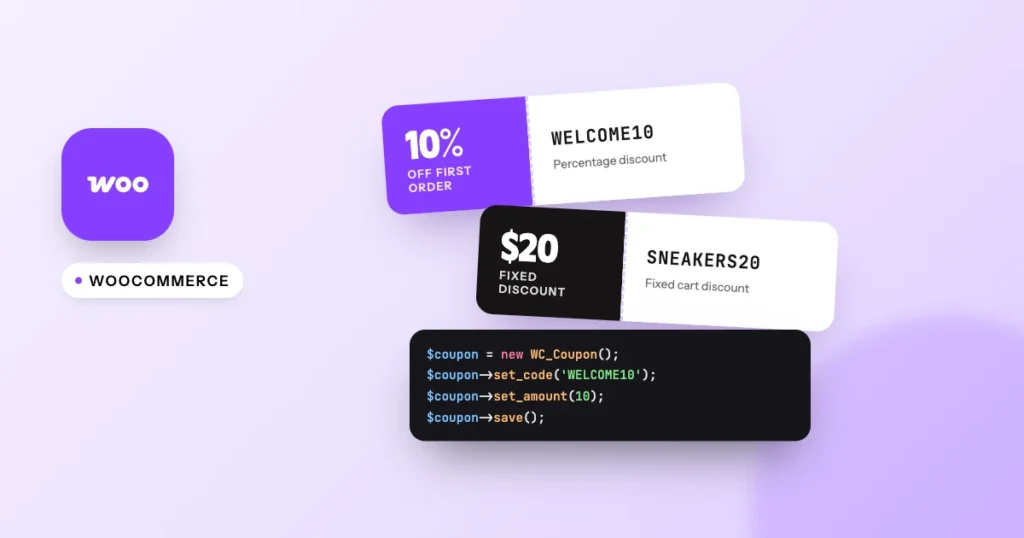
This tutorial is about the latest WooCommerce 🛒 version 5 way to create coupons programmatically through WC_Coupon an object, we need to create the object first, and then by using its methods we can configure the coupon.
There were two old methods before in WooCommerce to create unique coupon codes.
➡️ The first way to add the coupon code programmatically was by using the wp_insert_post() and update_post_meta() functions that allow you to add or update a WordPress post, But it was with WooCommerce 3.0 to use CRUD objects for coupons.
➡️ The Second way for adding coupon code programmatically is by using the WooCommerce Rest API provided by the plugin itself. WooCommerce has a complete guide available for the Rest API including Authentication, Fetching Data, Coupons, Orders, etc. but for a reference.
Let’s start with a simple way of creating WooCommerce coupons in WooCommerce.
Coupon name : "uniquecoupon"
Coupon discount price : "100"
$coupon = new WC_Coupon(); // Coupon object

$coupon->set_code( 'uniquecoupon' ); // Coupon code
$coupon->set_amount( 100 ); // Coupon amount

$coupon->save(); // Save coupon
We have used two methods set_code(), set_amount() from the class WC_Coupon which are more than enough to create a coupon.

Coupon creation –> done ✅! Let’s discuss 💡 some coupon configuration now?

An example is to create a coupon right now and configure everything like on the above screenshot.
/**
 * Create a WooCommerce Coupon Programmatically
 *
 * @author Hassan Ali
 * @url https://hassan-ali.com/create-coupons-programmatically-latest-woocommerce
 *
 */

$coupon = new WC_Coupon();

$coupon->set_code( 'uniquecoupon' );

$coupon->set_description( 'Some description.' );

// General tab in Coupon data

// discount type can be 'fixed_cart', 'percent' or 'fixed_product', defaults to 'fixed_cart'
$coupon->set_discount_type( 'fixed_cart' );

// coupon amount
$coupon->set_amount( 100 );

// coupon allow free shipping
$coupon->set_free_shipping( true );

// coupon expiry date
$coupon->set_date_expires( '31-07-2022' );


// Usage Restriction tab in Coupon data

// coupon minimum spend
$coupon->set_minimum_amount( 1500 );

// coupon maximum spend
$coupon->set_maximum_amount( 5000 );

// coupon individual use only
$coupon->set_individual_use( true );

// coupon exclude sale items
$coupon->set_exclude_sale_items( true );

// coupon apply on products / variations
$coupon->set_product_ids( array( 110 ) );

// coupon exclude for products / variations
$coupon->set_excluded_product_ids( array( 22, 25 ) );

// coupon include categories
$coupon->set_product_categories( array( 15 ) );

// coupon exclude categories
$coupon->set_excluded_product_categories( array( 21, 30 ) );

// coupon allowed emails
$coupon->set_email_restrictions(
	array(
		'[email protected]'
	)
);

// Usage limit tab in Coupon data

// usage limit per coupon
$coupon->set_usage_limit( 100 );

// limit usage to X items
$coupon->set_limit_usage_to_x_items( 50 );

// usage limit per user
$coupon->set_usage_limit_per_user( 5 );

// coupon save
$coupon->save();
Conclusion
The code snippets mentioned above are just an example of how to create the coupon code. To use them on your website it needs to be attached to any hooks or filters which is required.
WooCommerce plugin should be loaded, otherwise, you will get a ⚠️ Fatal error: Uncaught Error: Class ‘WC_Coupon’ not found. You can use the plugins_loaded action hook if you’re going to create a coupon programmatically in your custom plugin.
Take advantage of unique coupon codes and make some happy returning customers for your website. 🙌 🎉